Platform

Explore SBOMAtlas

What the actual SBOMAtlas application contains — how the platform is organized, and what each area provides.

Portals

Three portals, scoped to who is using them

Each party sees only the products, SBOMs, and communications relevant to their relationship.

Organization Portal

What it provides

The central workspace where an organization manages its products, SBOMs, vulnerabilities, and relationships with vendors and customers.

What users can see or manage

Product inventory, vulnerability triage, VEX activity, vendor and customer relationships, notifications sent.

Why it is useful

Gives the organization one place to run its entire vulnerability and supply-chain response process.
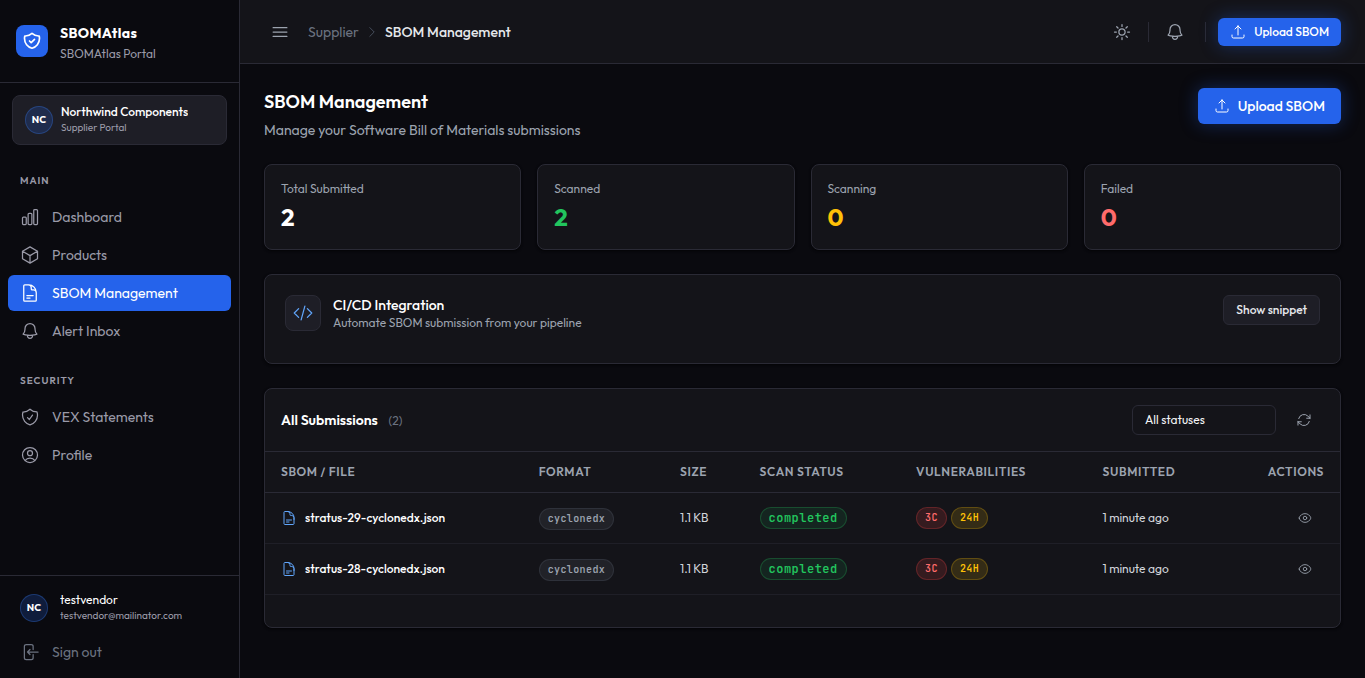
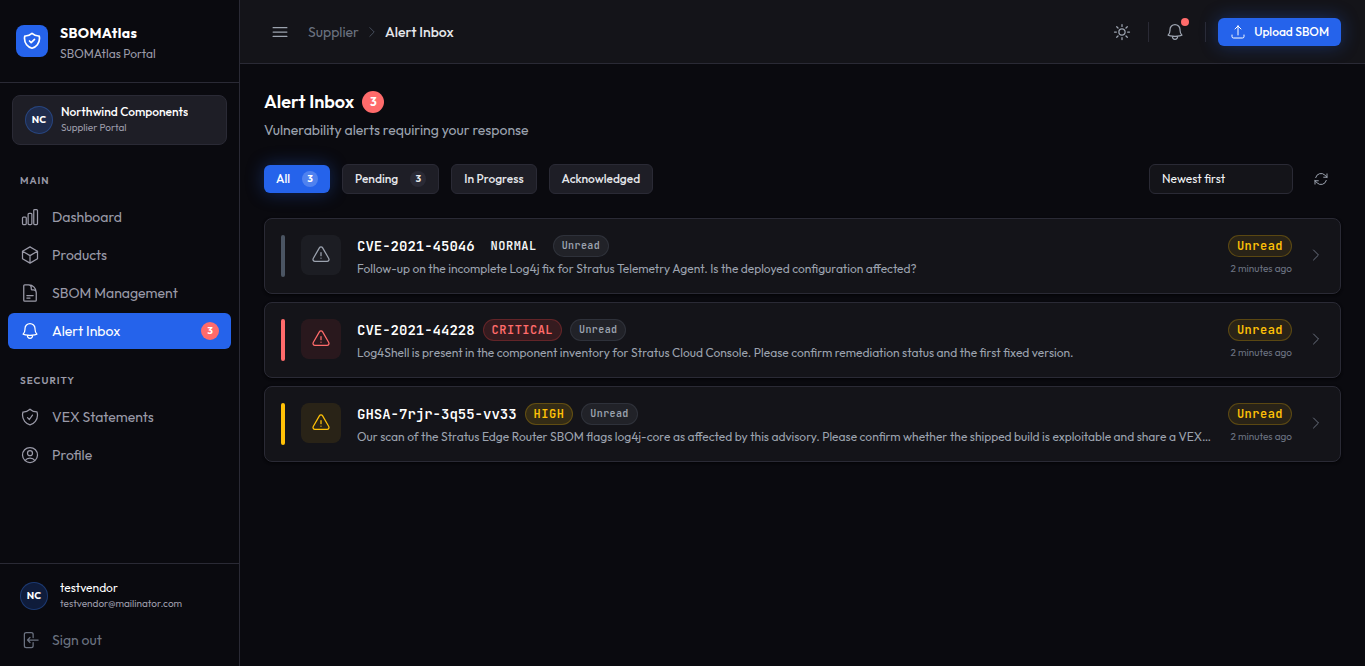
Vendor Portal

What it provides

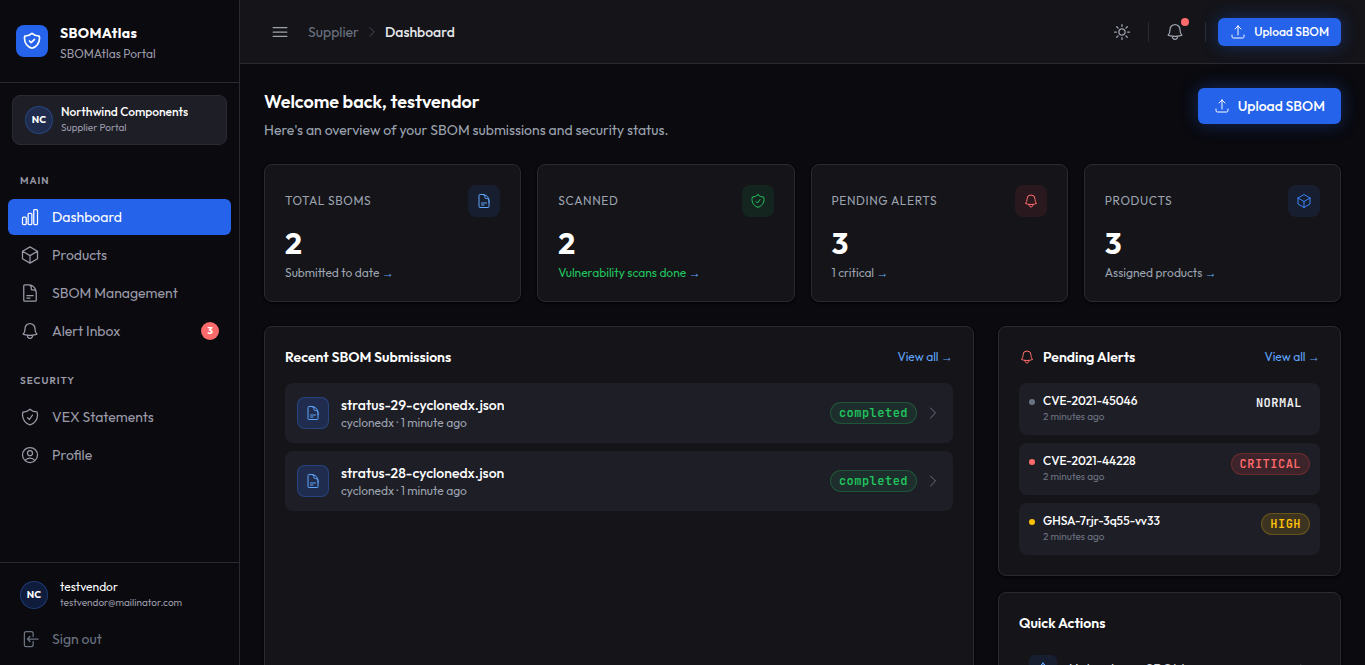
A dedicated space for software vendors to submit SBOMs, respond to security inquiries, and issue VEX documents.

What users can see or manage

Their submitted SBOMs, alerts from the organizations they supply, and VEX documents they have created.

Why it is useful

Gives vendors a structured, direct channel to answer vulnerability questions instead of ad hoc email.

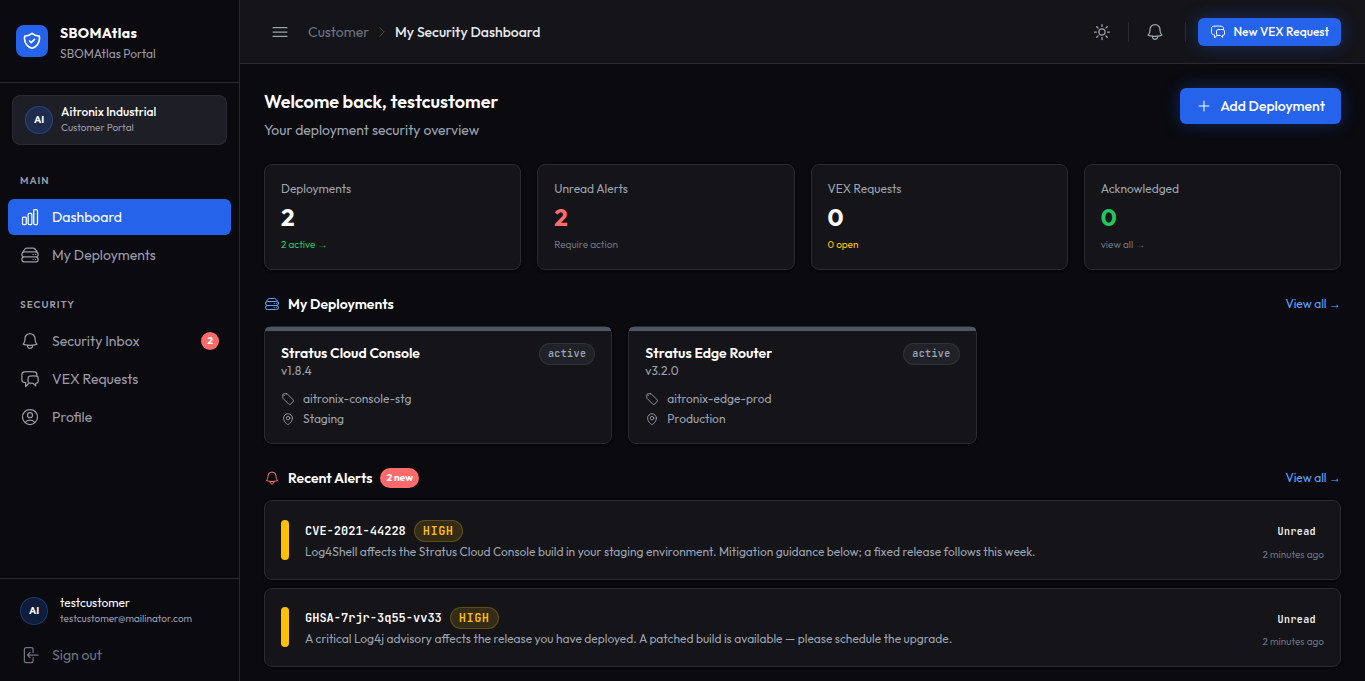
Customer Portal

What it provides

A view for customers to see which products/versions they have deployed, track vulnerabilities that affect them, and request VEX information.

What users can see or manage

Their deployments, related vulnerability notifications, and VEX requests they have submitted.

Why it is useful

Lets customers know exactly what is affected and get authoritative answers, instead of guessing.

Platform Areas

What each area provides

The working parts of the platform, from raw SBOM storage through to a defensible audit trail.

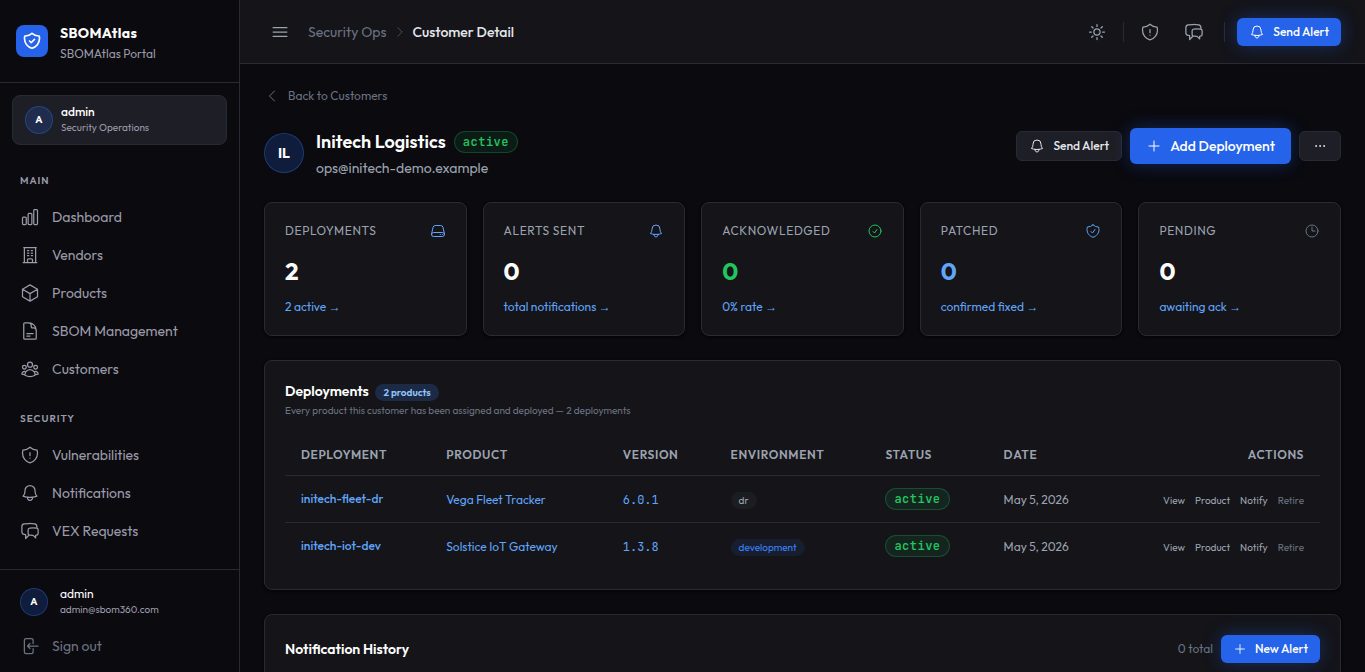
Product & Deployment Management

What it provides

A catalog of an organization's software products, linked to their SBOMs and vendors, plus tracking of which customers have deployed which products and versions.

What users can see or manage

Products, versions, associated SBOMs and vendors, and deployment records linked to customers.

Why it is useful

Turns raw SBOM data into an organized inventory, and connects a vulnerability to the people actually affected by it.

SBOM Management

What it provides

A central store for Software Bills of Materials, with support for industry-standard formats such as SPDX and CycloneDX.

What users can see or manage

SBOMs by product and version.

Why it is useful

Answers "what is actually in our software" at any point in time.

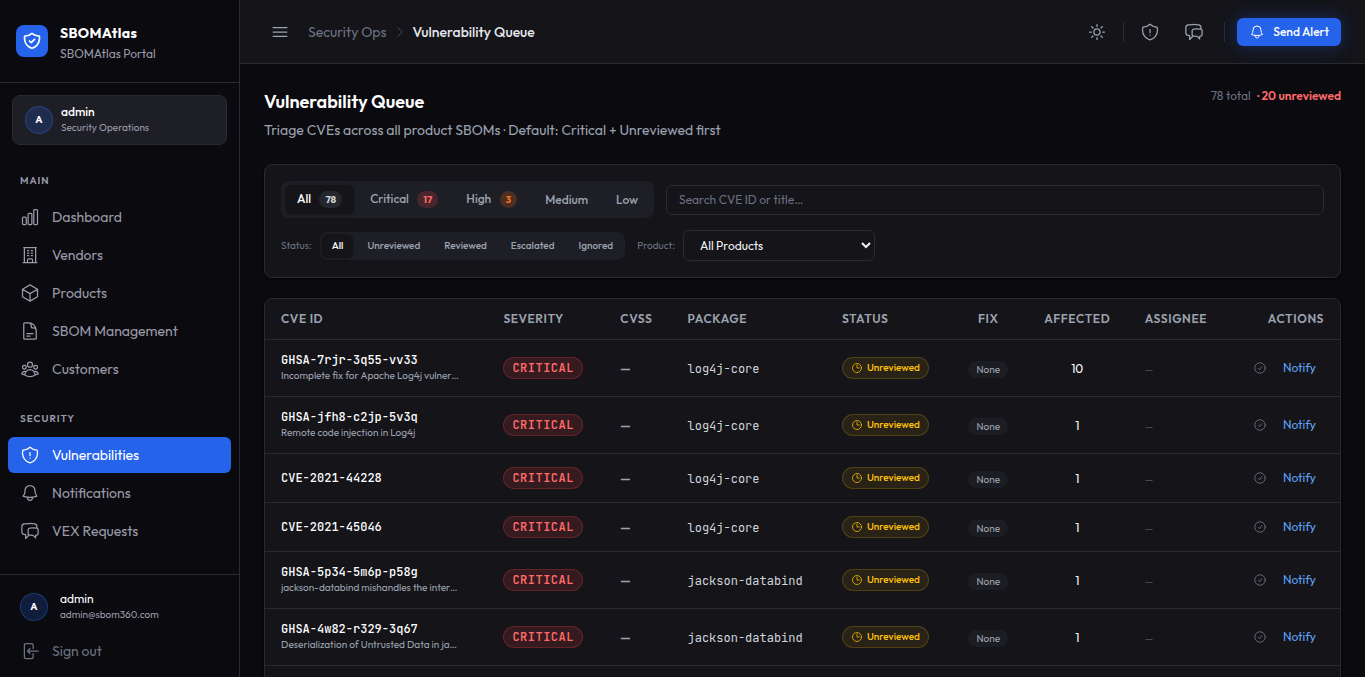
Vulnerability Management & Triage

What it provides

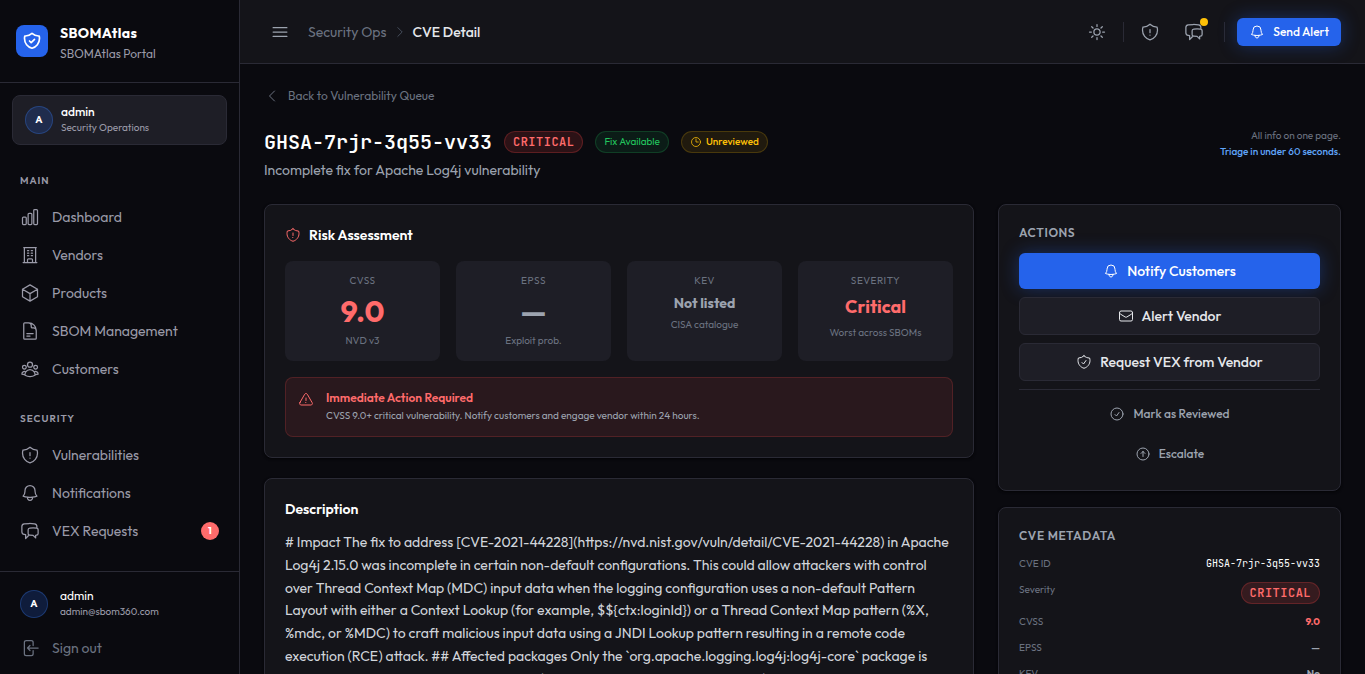
Automated analysis of the components listed across SBOMs to identify known vulnerabilities, plus a workflow to review, assign, escalate, or dismiss each one, with notes and due dates.

What users can see or manage

Vulnerabilities by product and severity, along with status, ownership, and history for each.

Why it is useful

Surfaces risk as soon as it is known, and turns a raw vulnerability list into an accountable, trackable process.

VEX Management

What it provides

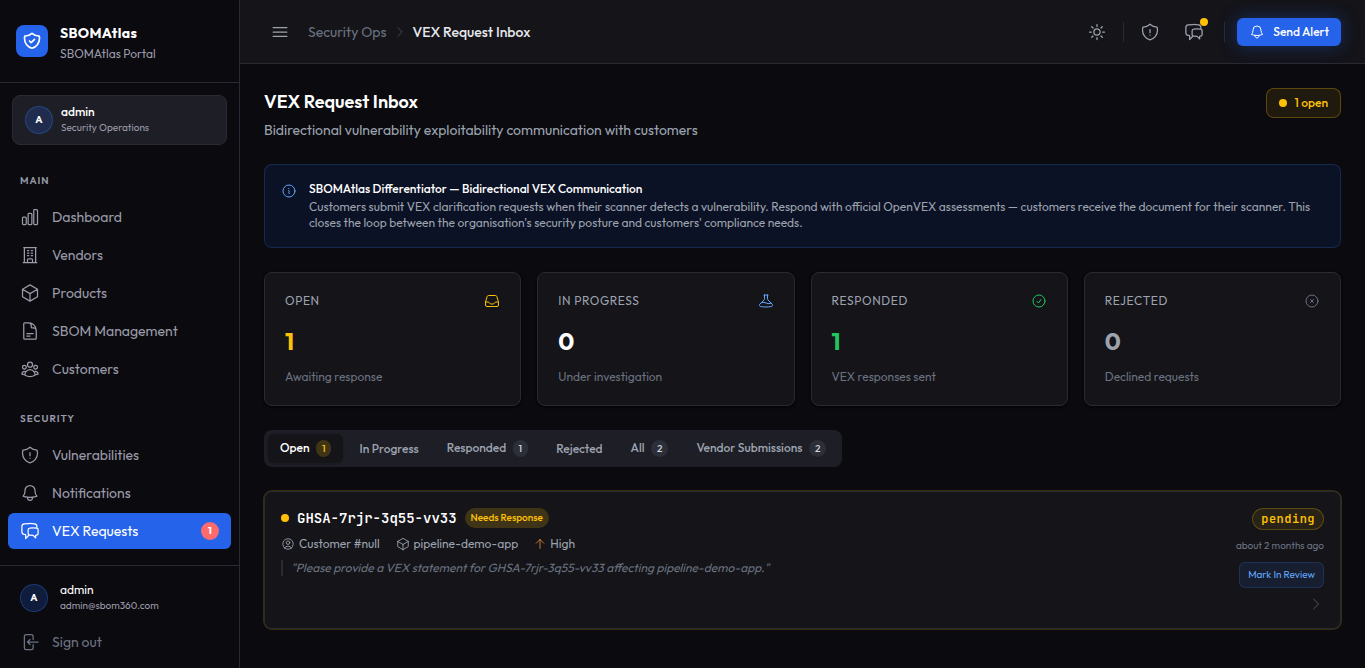
Creation of VEX statements on whether a vulnerability is actually exploitable, plus formal VEX requests between customers, organizations, and vendors.

What users can see or manage

VEX documents, and the status of requests (submitted, in review, fulfilled, rejected).

Why it is useful

Clarifies real exploitability instead of reacting to every CVE that merely appears in a component list.

Notifications & Alerts

What it provides

Structured vulnerability alerts and vendor inquiries, with delivery and acknowledgment tracking (sent, viewed, investigating, acknowledged, patched).

What users can see or manage

Who was notified, when, and their response status.

Why it is useful

Confirms that affected parties were informed and closes the loop on response.

Audit & Compliance

What it provides

A recorded history of triage decisions, notifications, and VEX activity.

What users can see or manage

An audit trail of how vulnerabilities were handled over time.

Why it is useful

Supports internal accountability and compliance reporting.

Platform Screenshots

The platform, screen by screen

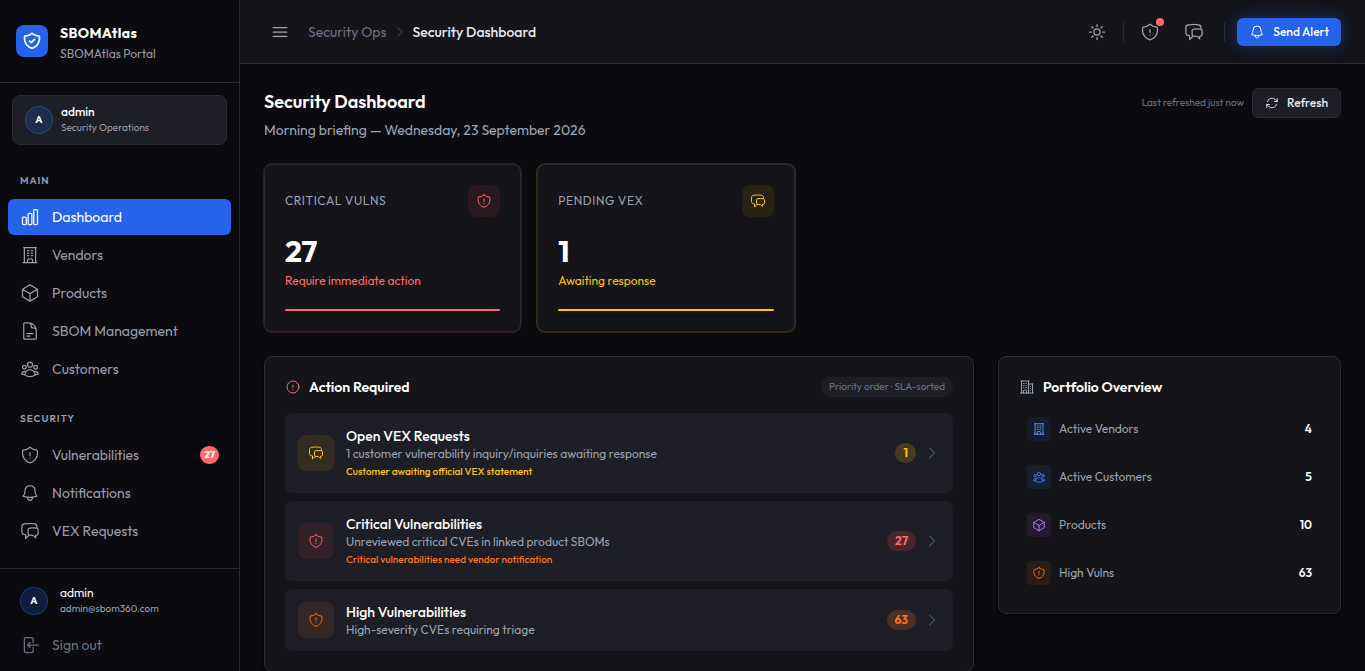
Organization Dashboard — SBOMAtlas portal screenshot

Aggregate risk/vulnerability posture

Security & Trust

Scoped access, recorded activity

Who can see what, and what gets written down.

Role-based access

Organization, Vendor, and Customer users each get an experience scoped to what is relevant to them.

Access-controlled portals

Each party sees only the products, SBOMs, and communications relevant to their relationship.

Traceable security activity

Triage decisions, VEX activity, and notifications are recorded as they happen.

Audit history

A persistent record of how vulnerabilities were reviewed and resolved, supporting internal review and compliance needs.

Controlled vendor/customer communication

Notifications and VEX requests follow a defined, trackable process rather than open, unstructured channels.

Integrations

How SBOMAtlas fits into what you already run

Described as categories of integration rather than specific third-party products.

SBOM Sources

SBOMs can be submitted directly by vendors and organizations, or ingested automatically as part of a CI/CD pipeline.

Vulnerability Intelligence

Components are checked against industry vulnerability data as part of automated analysis.

Notification Channels

Email notifications for vulnerability alerts and VEX requests.

SBOM Formats

Industry-standard formats including SPDX and CycloneDX.

Walk through the platform with us

We will show the areas that map to how your organization actually handles vulnerabilities today.